Less searching, more doing
Put governed metadata, search and next actions in one workflow. Reduce repetitive retrieval and manual filing.

DocuSphere360 Enterprise AI combines governed document management, immutable versioning, intelligent capture, records, search, collaboration and content AI in one tenant-safe operating layer—available standalone or connected to Numerish ERP360.
Every stage can participate in ACL enforcement, malware scanning, workflow, notifications, immutable audit evidence and downstream ERP context.
Documents, connectors and migration sources.
Malware screening before governed processing.
Classify, extract, verify and connect context.
Versions, annotations, editing and workflows.
Declare, retain, hold and disposition.
Security-trimmed retrieval and exact-version collection.
Hashes, receipts and ERP business-object linkage.
GOVERNED EVIDENCEAn end-to-end operating path for documents, records and evidence. Provider-backed steps remain gated until commissioned.
Bring files into one tenant-scoped repository, apply metadata, classify and reconcile imports.
Route uncertain extraction, exceptions and content requests to accountable people.
Apply ACLs, retention, legal holds and version controls before disposition.
Discover authorized records and preserve exact versions and audit context.
Teams benefit from discoverability, clearer ownership and recorded decisions. Illustrative business value depends on successful configuration and user adoption.
Put governed metadata, search and next actions in one workflow. Reduce repetitive retrieval and manual filing.
Link retention, holds, disposition evidence and documented approvals to each exact record version.
Use citation-grounded assistance and reviewed extraction rather than treating unverified AI output as a final decision.
Run DocuSphere360 individually or extend an existing Numerish ERP360 workspace without duplicating its identity or accounting authority.
Connect capture, document review, workflows and eligible downstream services within permissioned interfaces.
Preserve traceability, version hashes and review evidence where the required runtime and provider gates are verified.
Guided, standard and specialist experiences help different personas access the right actions.
Subscription, seats, storage and AI allowances are determined by PricingHub and License360—not assumed from a marketing page.
UAT tests demonstrate specific software behavior; production use requires independently accepted controls.
See the approved-branded DMS frontend across document capture, intelligent processing, workspace design and responsive views.
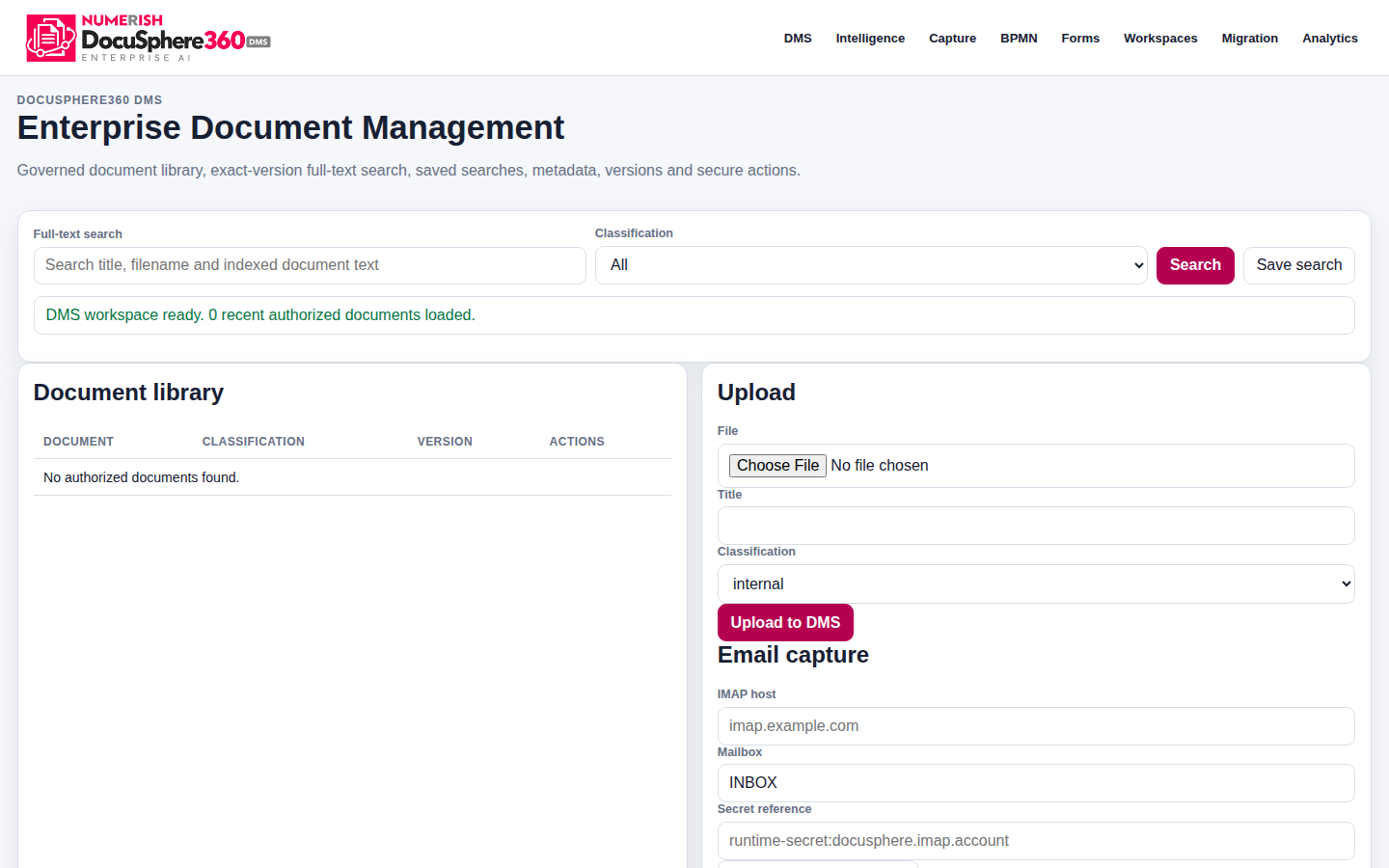
Actual DMS library interface with file search, classification, saved searches and upload. Empty authorized-document state is from the QA fixture.
DocuSphere360 DMS R10 approved-brand candidate · desktop engineering fixture · Oct 19 Open full screenshot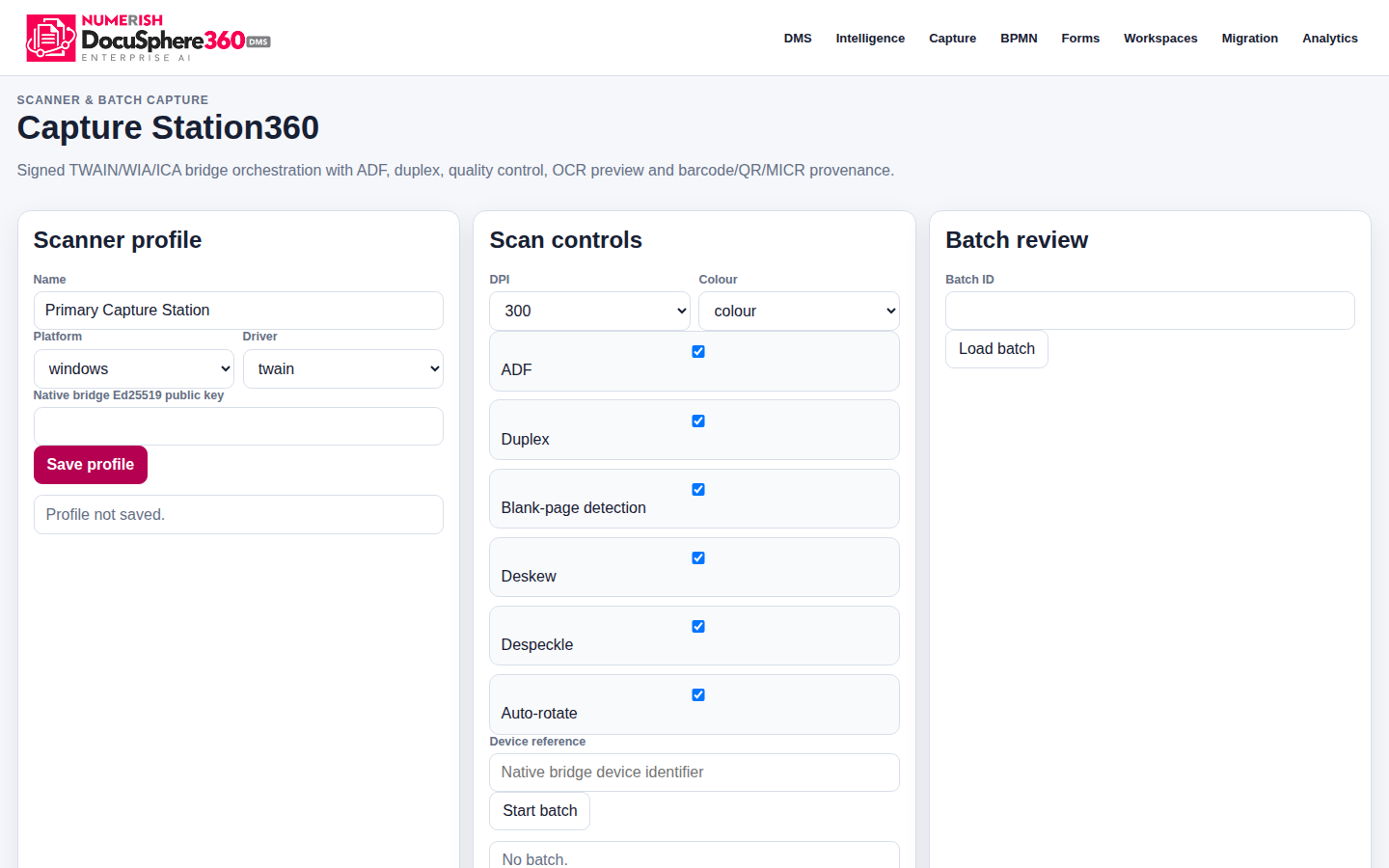
Document capture controls for scanner profile, TWAIN/WIA/ICA, duplex, deskew, quality processing and batch review. Native scanner hardware not commissioned in this capture.
DocuSphere360 DMS R10 approved-brand candidate · scanner workflow engineering fixture Open full screenshot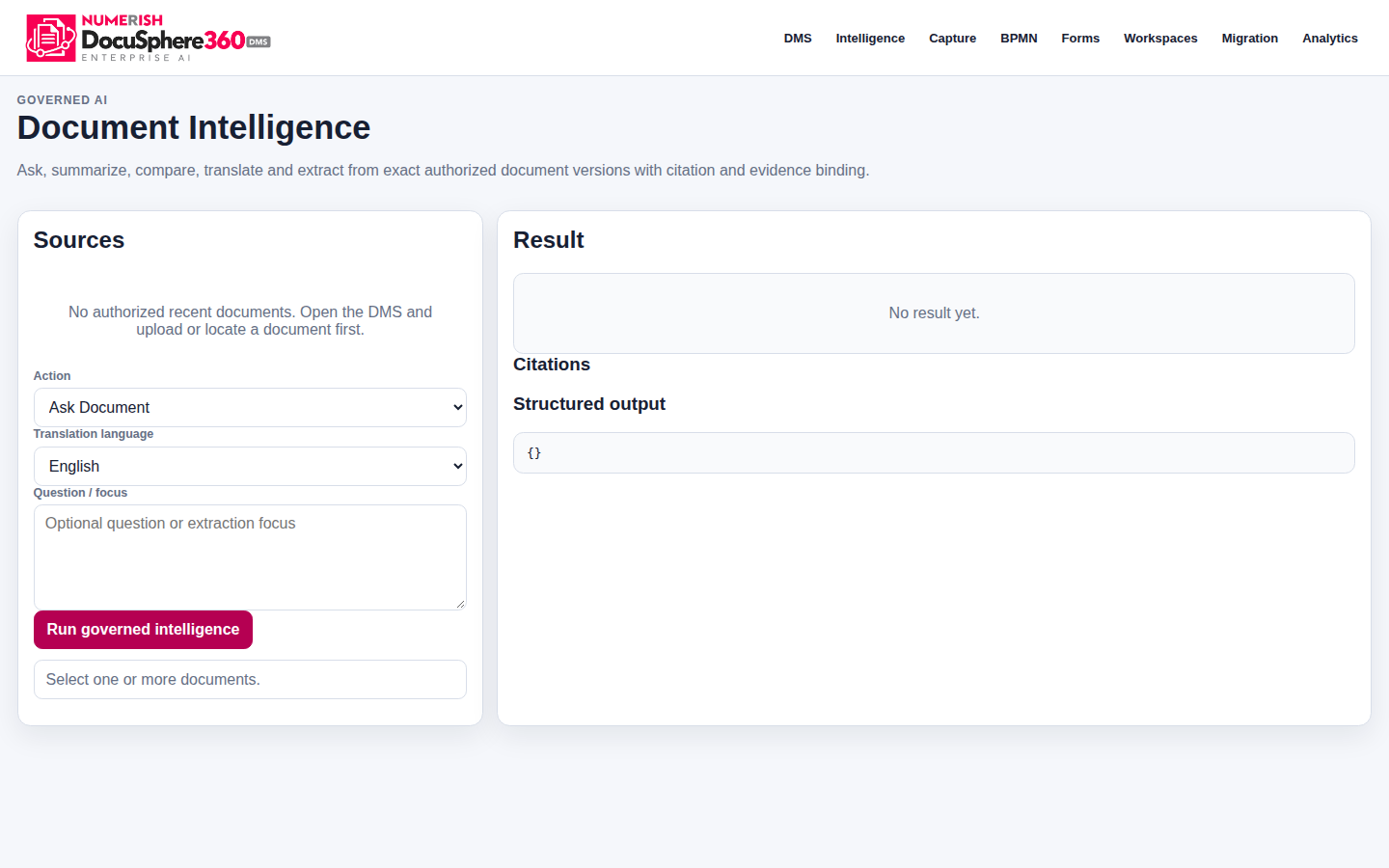
Source document selection, summarize/compare/translate actions and citation-aware result areas. No provider-generated response is shown.
DocuSphere360 DMS R10 approved-brand candidate · provider-dependent workflow Open full screenshot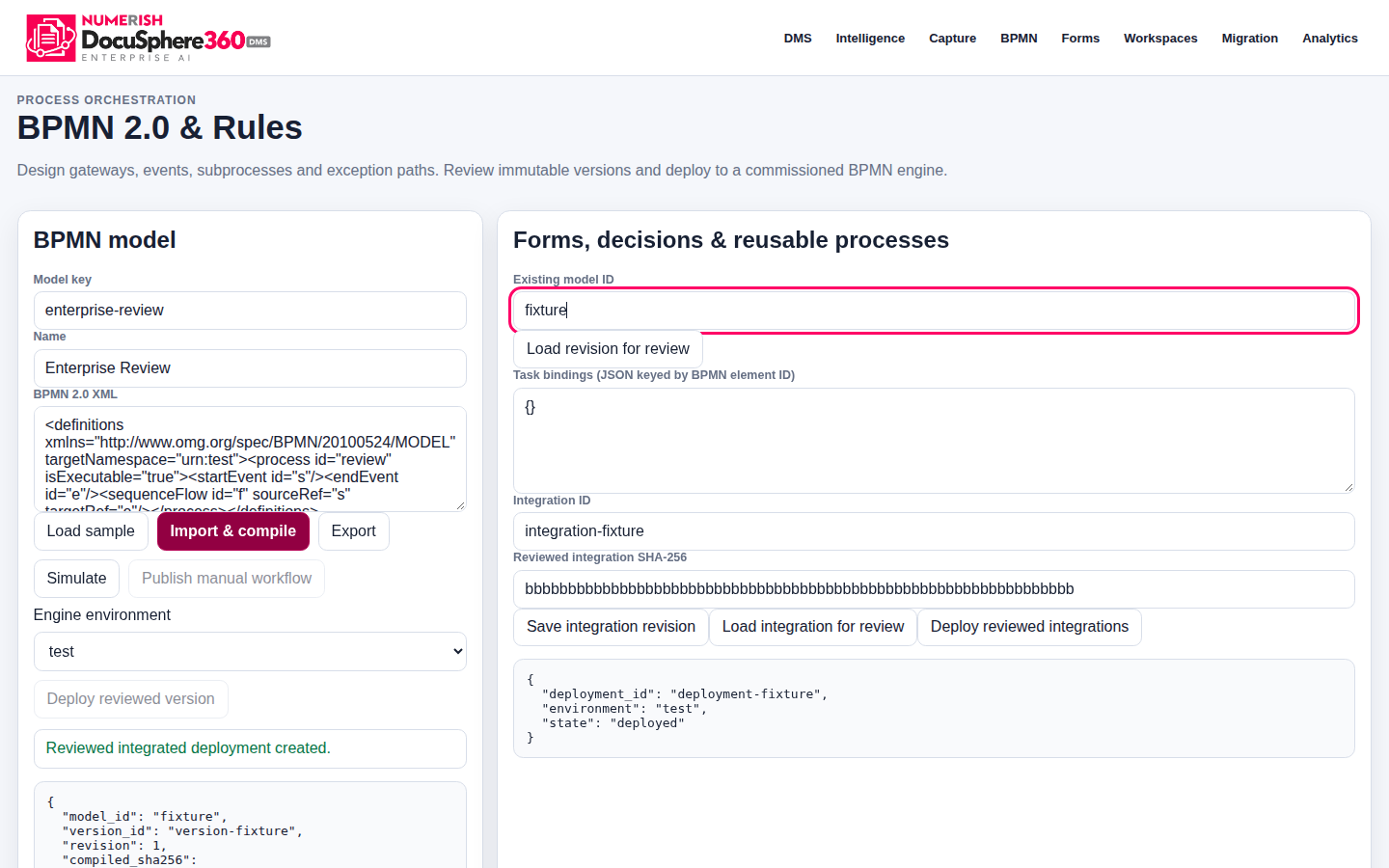
DMS enterprise process model, version review and guarded deployment controls; recorded in a synthetic integration session.
DocuSphere360 DMS R10 approved-brand candidate · BPMN engineering fixture Open full screenshot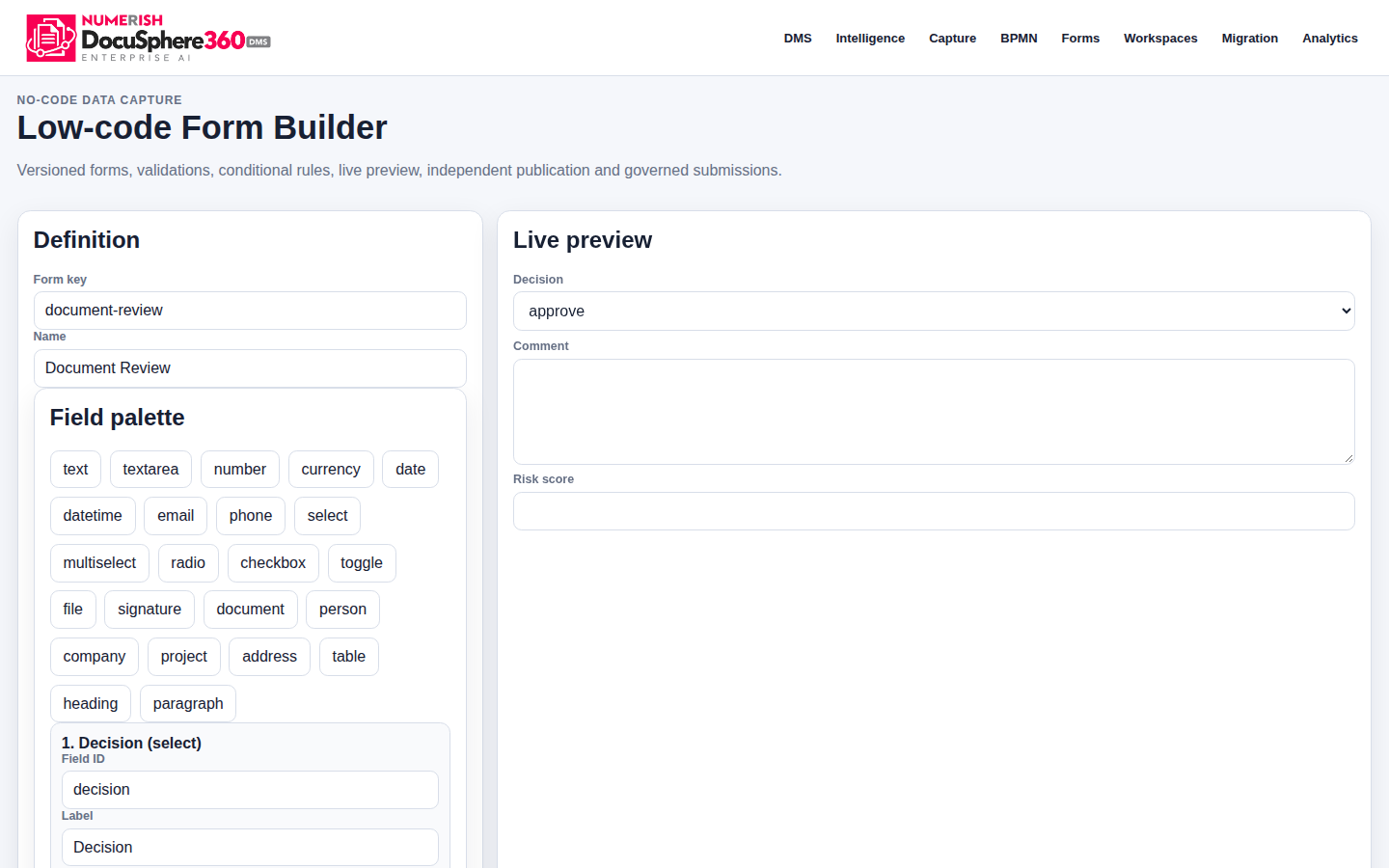
Dedicated DMS form designer interface for structured intake fields and reviewable form definitions.
DocuSphere360 DMS R10 approved-brand candidate · form-engineering fixture Open full screenshot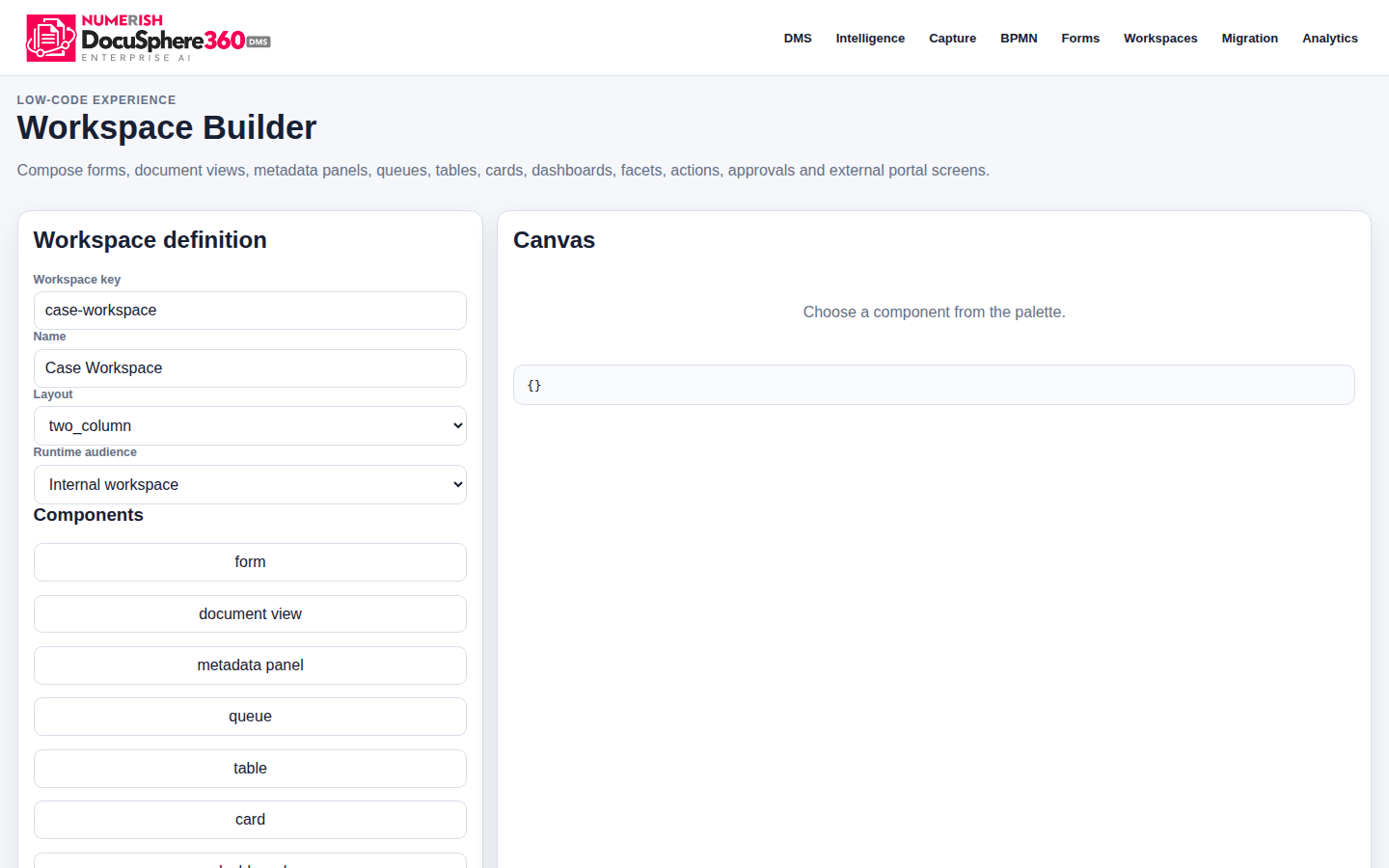
Configure purpose-built document workspaces and guided business views, subject to tenant permissions.
DocuSphere360 DMS R10 approved-brand candidate · workspace-engineering fixture Open full screenshot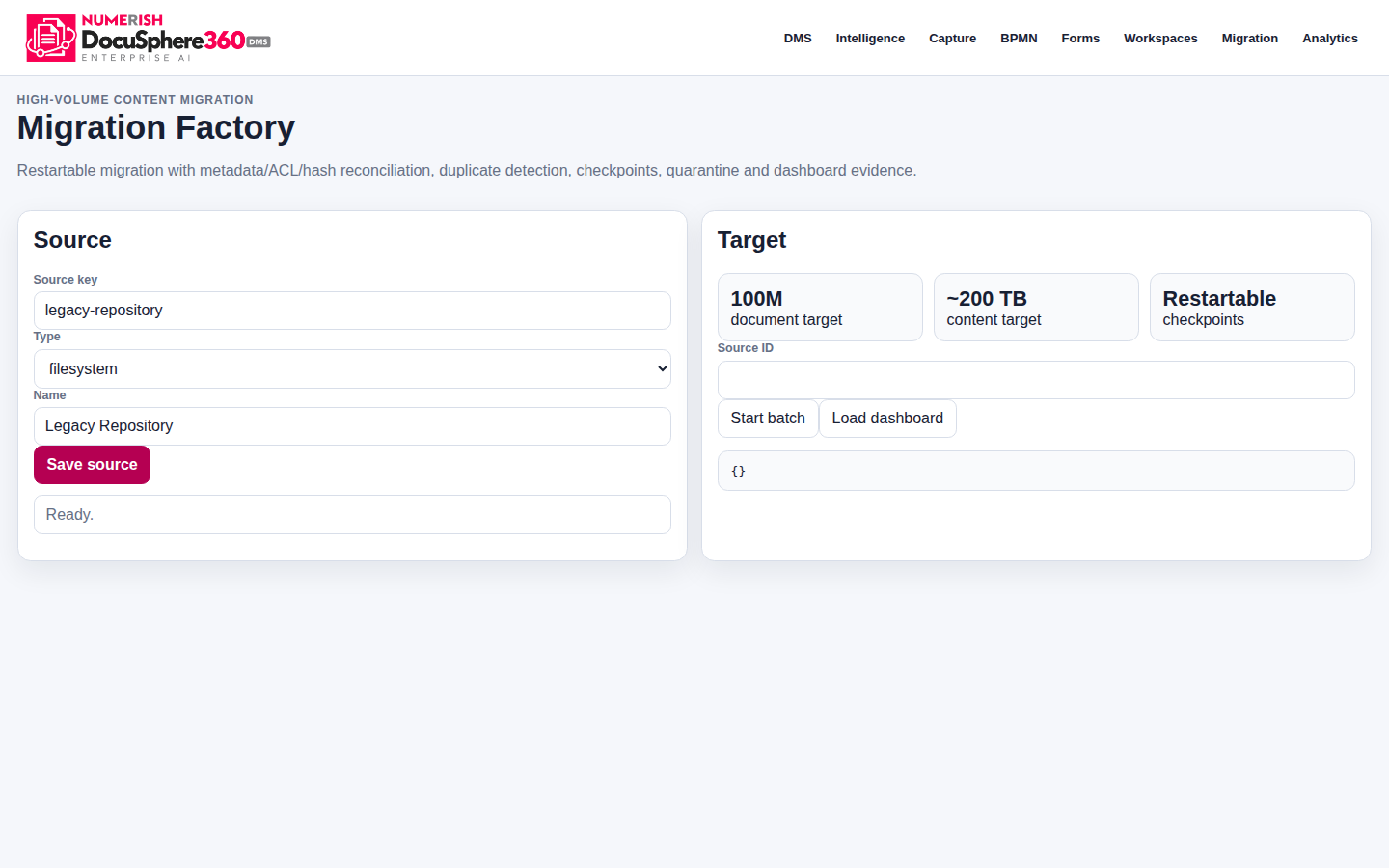
Document migration interface for batch imports, metadata and access reconciliation, exception control and audit evidence.
DocuSphere360 DMS R10 approved-brand candidate · migration-engineering fixture Open full screenshot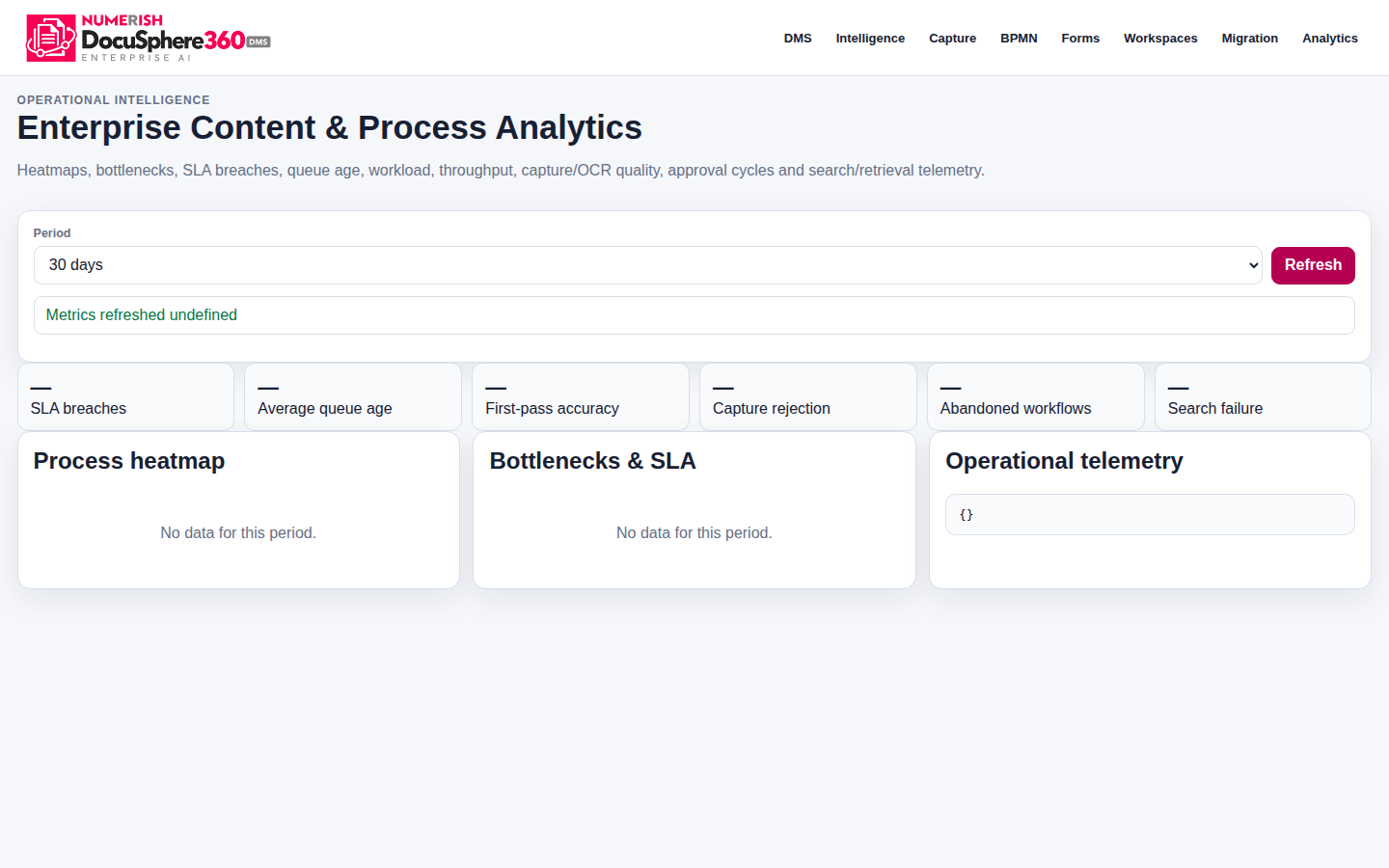
Document lifecycle metrics, processing activity and operational oversight interface. Figures are engineering fixtures, not tenant performance.
DocuSphere360 DMS R10 approved-brand candidate · analytics-engineering fixture Open full screenshot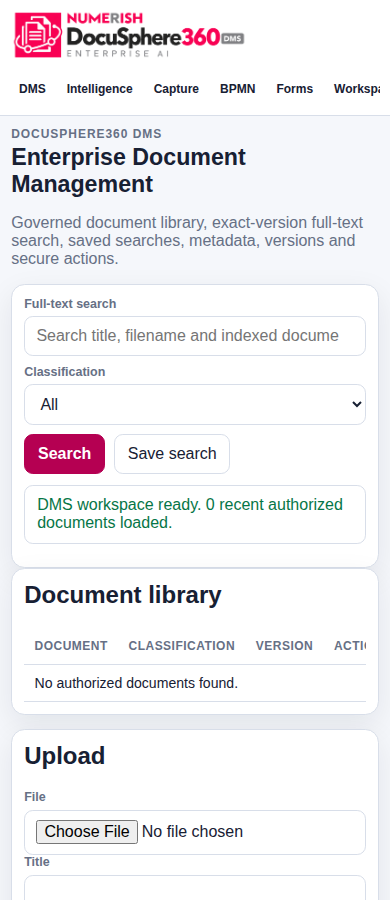
Document search, classification and library layout at 390-pixel viewport.
DocuSphere360 DMS R10 approved-brand candidate · browser mobile layout QA Open full screenshot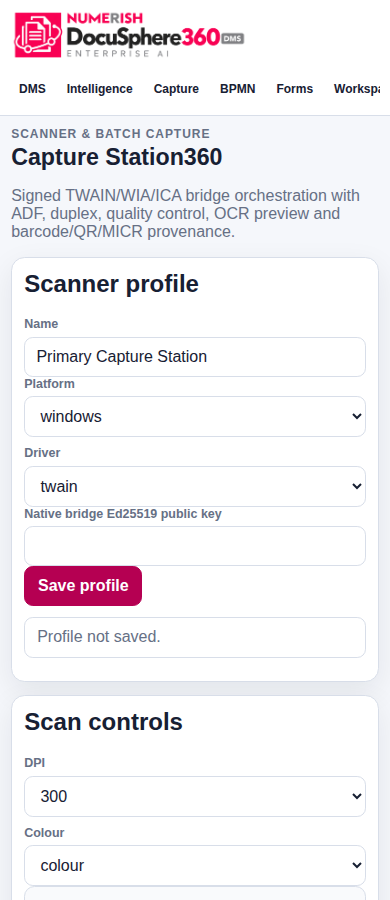
The document capture interface tested for phone-width layout, not an installed native scanner app.
DocuSphere360 DMS R10 approved-brand candidate · mobile browser QA Open full screenshot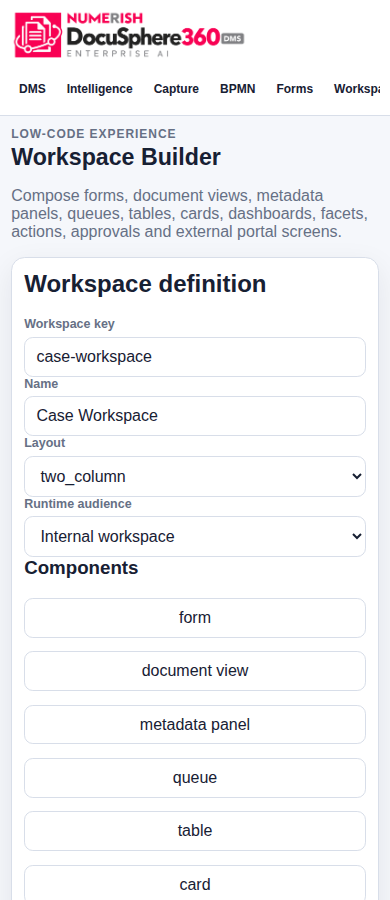
DMS low-code workspace administration displayed at phone width.
DocuSphere360 DMS R10 approved-brand candidate · mobile browser QA Open full screenshot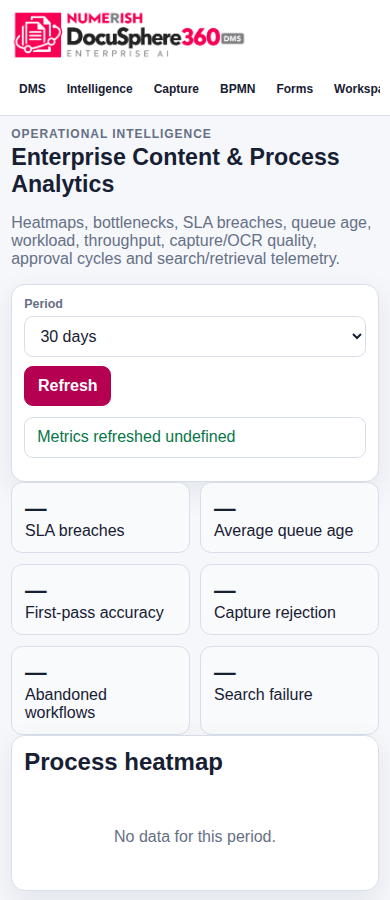
Responsive DMS analytics workspace in a synthetic QA browser session.
DocuSphere360 DMS R10 approved-brand candidate · mobile browser QA Open full screenshot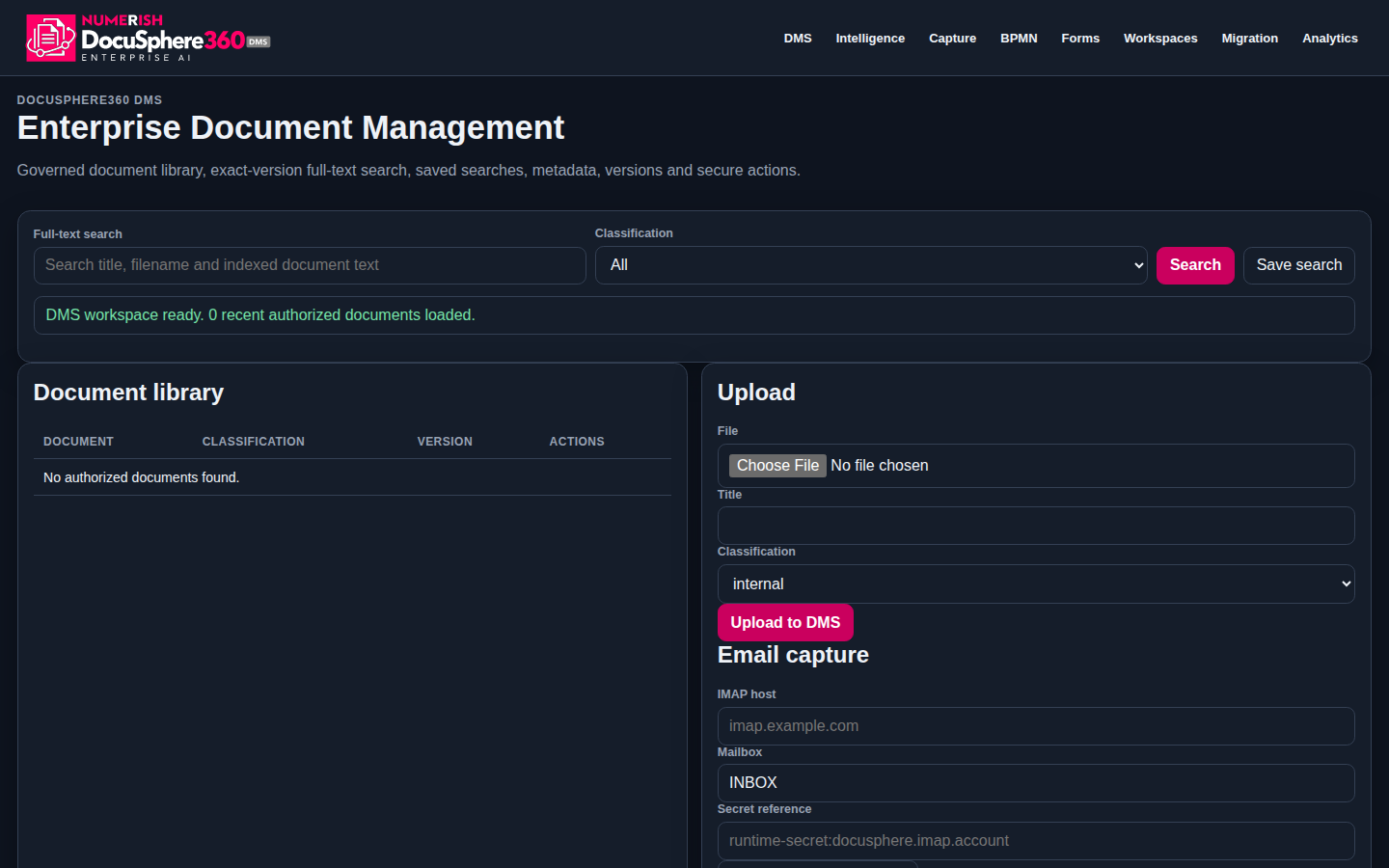
Approved dark-mode DMS logo and governed library workspace in engineering QA.
DocuSphere360 DMS R10 · approved dark-brand engineering QA Open full screenshot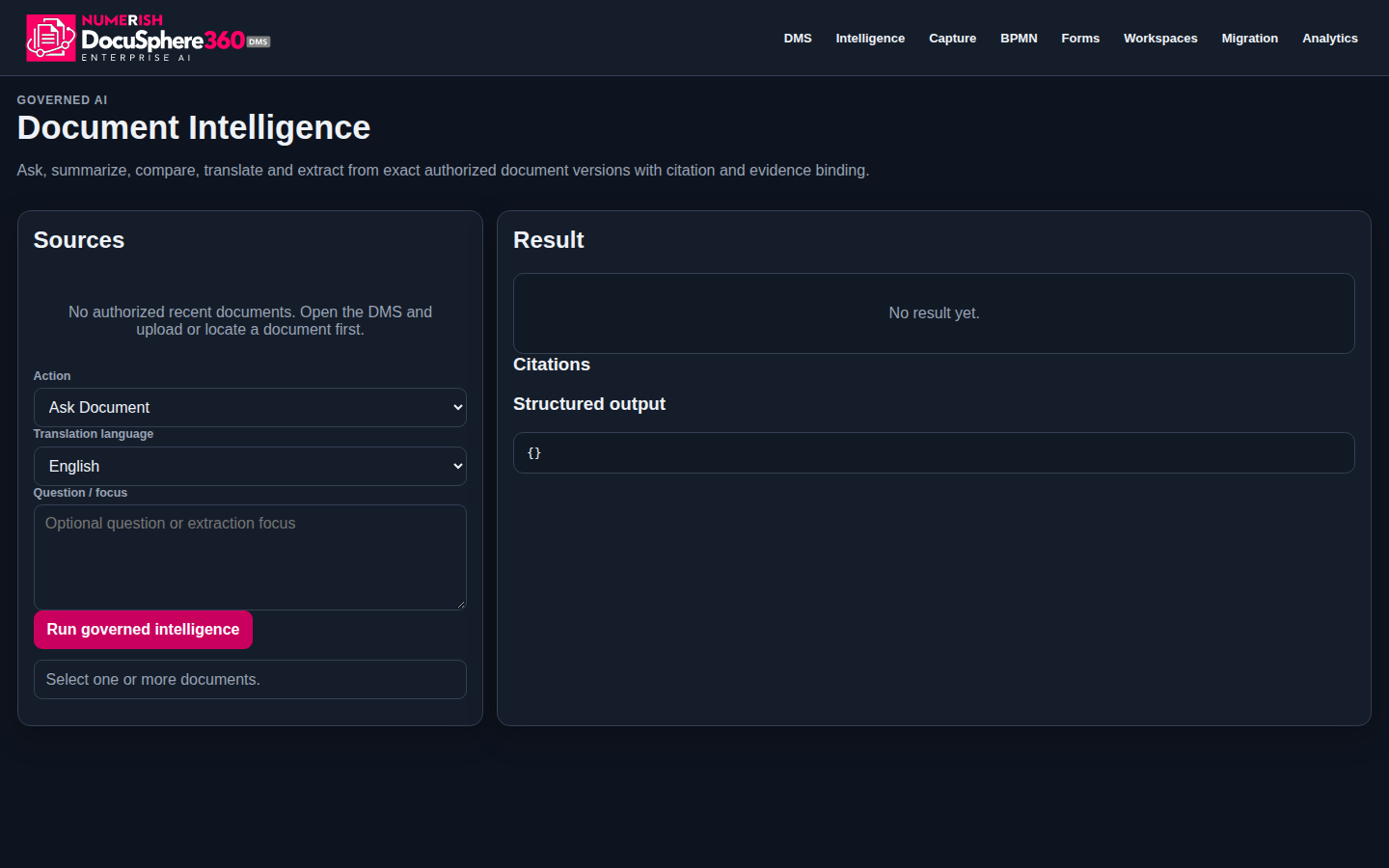
Approved dark-mode DMS logo with permission-aware intelligence controls and citation workspace.
DocuSphere360 DMS R10 · approved dark-brand engineering QA Open full screenshot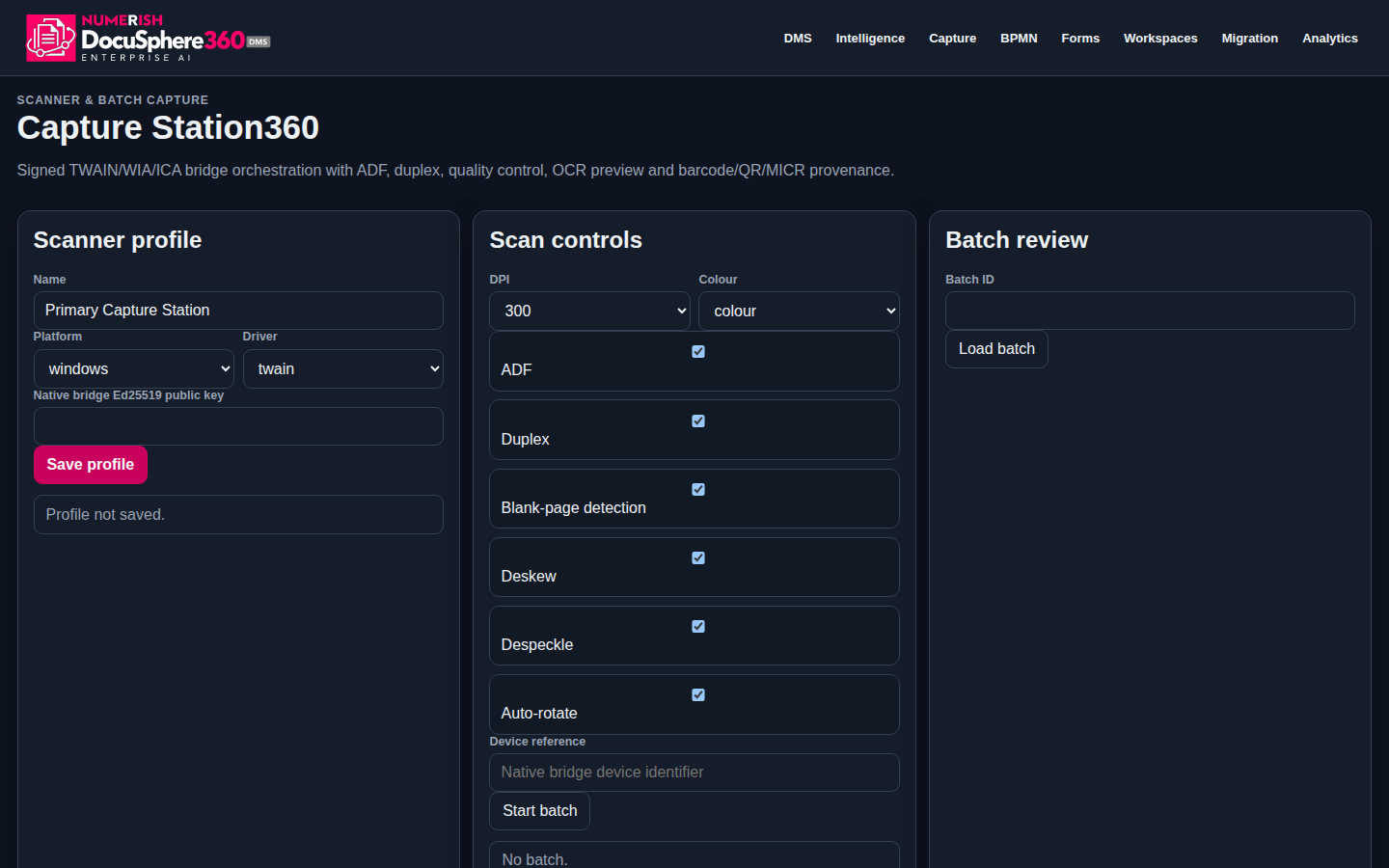
Approved-brand dark-mode scanner profile, quality controls and batch review interface.
DMS R10 branded engineering source · R19 dark-mode QA capture · synthetic API fixtures, 1 Nov 2026 Open full screenshotEvidence boundary: Captured from DocuSphere360 Enterprise DMS R10 approved-brand candidate frontend using synthetic API fixtures (original browser acceptance October 19, 2026; additional Capture Station dark-mode source capture November 1, 2026). The approved DMS logo is rendered inside the real engineering frontend. Evidence includes DMS, capture, intelligence, BPMN, forms, workspaces, migration and analytics; Records360 and eDiscovery authenticated tenant screens are not yet supplied. Live tenant permissions, provider commissioning, large-scale DMS acceptance and independent production gates remain outstanding. The PDF Studio editor has its own, separate software gallery.
The DocuSphere360 enterprise roadmap goes beyond file storage, combining content operations, records control, intelligence, collaboration and evidence under the same security model.
Governed documents, exact versions, metadata, ACLs, storage references and tenant isolation.
IDP/OCR orchestration, extraction confidence, human review and structured business-object relationships.
File plans, retention, legal hold, dual-control disposition and destruction evidence.
Security-trimmed discovery across managed content and certified federated repositories.
Annotations, approvals and provider-backed editing with Microsoft 365 and supported office gateways.
Citation-grounded content intelligence with permission checks and independent approval for consequential actions.
Exact-version collection, signed export lineage, hash reconciliation and controlled enterprise migration.
Privacy360, jurisdiction packs, Persona360, recertification, SoD and immutable governance evidence.
Users see only the modules and actions permitted by tenant entitlement, effective role, DocuSphere persona, object ACL, lifecycle rules and provider readiness.
Canonical document control with immutable version history.
Connect documents to business context without duplicating source records.
Provider-backed intelligent document processing.
Governed discovery across entitled content.
Move governed content into formal records lifecycle.
Protect records when legal or policy obligations apply.
Collect and export defensible content evidence.
Grounded content assistance inside document permissions.
Coordinate content work without breaking version governance.
Discover external repositories without mandatory migration.
Move large content estates with verifiable completeness.
Provider-backed knowledge-worker collaboration.
Extend access without bypassing tenant governance.
Operate privacy workflows alongside governed content.
Map content controls to governed evidence.
Scope workspaces and permissions to real responsibilities.
Turn document state changes into governed action signals.
Preserve defensible lineage for governed domain actions.
Structured extraction and grounded assistance, built around verified sources and accountable review.
Normalize provider OCR/HTR and extraction into governed document metadata while keeping uncertain fields in review.
Provider-backed text and handwriting extraction.
Document type and structured classification.
Persist confidence and provenance with results.
Route lower-confidence fields for verification.
Use enterprise content as governed context while preventing retrieved text from becoming trusted instructions.
Claim-level links back to governed sources.
Agents cannot cross the user's document access.
Allowed actions are explicitly registered.
Consequential actions retain human review.
Governance is enforced in the runtime rather than being reduced to policy text or UI visibility.
Records cannot be destroyed through generic CRUD; maturity, legal hold and maker/checker controls apply.
Purpose limitation, data minimization, cross-border authorization and privacy workflow evidence.
Tenant-scoped personas, ability-driven menus, SoD controls and access recertification.
Governed domain actions append to tenant/stream-specific SHA-256 evidence chains.
Content is screened before governed processing; provider health remains part of readiness.
Collections preserve version identity, metadata snapshots, hashes and export-manifest lineage.
Authoritative accounting references can bind exact document versions to reporting snapshot hashes.
Business changes create auditable domain events, policy-aware fanout and downstream delivery receipts.
One governed document core, with clear ownership at each integration boundary.
DocuSphere360 does not duplicate credentials, general-ledger truth or platform identity.
Documents, versions, metadata, ACL, records, search, evidence and content workflows.
Canonical tenant/user identity, authentication and host role context.
Storage provider credentials, quotas and billing.
Governed AI provider routing and AI Monetization.
Certified external delivery channels and receipts.
Authoritative accounting/reporting truth and financial evidence references.
Tenant identity and document permission are carried through each governed step.
Experience mode changes the amount of guidance and interface density—not authorization.
Journeys, explanations, tours, contextual help and resumable progress for new or occasional users.
My Work, Needs Attention, Continue Working, Next Best Action and task-focused navigation.
Advanced modules and higher information density for entitled records, privacy, migration and administration specialists.
Start with the volume of documents your team handles, retrieval effort and consolidation opportunity. All inputs remain editable.
Both modes use the same governed DocuSphere360 core and one PricingHub commercial root, preventing duplicate capacity or disconnected document estates.
For organizations that want the complete governed DMS as an individual Numerish product.
The same DocuSphere core with the ERP360 enterprise integration profile.
See how DocuSphere360 can fit your content estate, records obligations, collaboration model and broader Numerish ERP360 operating environment.