Open & inspect
Open your PDF locally or enter a bounded large-file viewing session. Check layout before editing.
PDF reader, search, page navigationDocuSphere360 PDF Studio — A KT Group Product
A focused PDF workspace for desktop and mobile: open, edit, annotate, review, organize and export. Connect to enterprise document management when Identity360, License360 and storage provider gates are commissioned.
DocuSphere360 PDF Studio is designed as a standalone editor, with connected Cloud and enterprise options. Start with familiar menus, ribbons and pages. Add document intelligence, form and signature workflows, secure review, version history, consent-led recovery and organizational controls when your edition and release support them.
Start locally, complete supported editing and review tasks, then choose an authorized export or governed handoff.
Open your PDF locally or enter a bounded large-file viewing session. Check layout before editing.
PDF reader, search, page navigationUse supported text, annotation, forms, images, page and OCR tools with explicit capability limits.
Edit PDF, OCR360, Layer StudioPreserve source integrity, track local comments, save revisions and recover a verified working copy.
Comments360, Recovery360Export an approved PDF, or use an authorized DMS write-back after Identity360, License360 and storage acceptance.
Verified Save As, governed Cloud bridgePDF Studio productivity can reduce duplicated effort. Advanced, signed and regulated PDF operations require separately accepted editing routes.
Open, edit, annotate, manage pages and export documents from a familiar, task-based workspace.
Use supported PDF text, forms, OCR review, conversion and Create360 workflows instead of starting over.
Keep local files under user control and choose when to save, export, share or request Cloud access.
Use shared product concepts across Windows, Linux, macOS and Android with capabilities clearly scoped by platform.
Use local comments, protected working copies and verified Save As for supported document classes.
Connect to DMS identity, versioning, storage and approval services when provider and entitlement checks are commissioned.
Guided, standard and specialist experiences help different personas access the right actions.
Subscription, seats, storage and AI allowances are determined by PricingHub and License360—not assumed from a marketing page.
UAT tests demonstrate specific software behavior; production use requires independently accepted controls.
Screens show actual software in controlled engineering QA. They demonstrate evaluated UI states, not independent production certification or unrestricted feature parity.
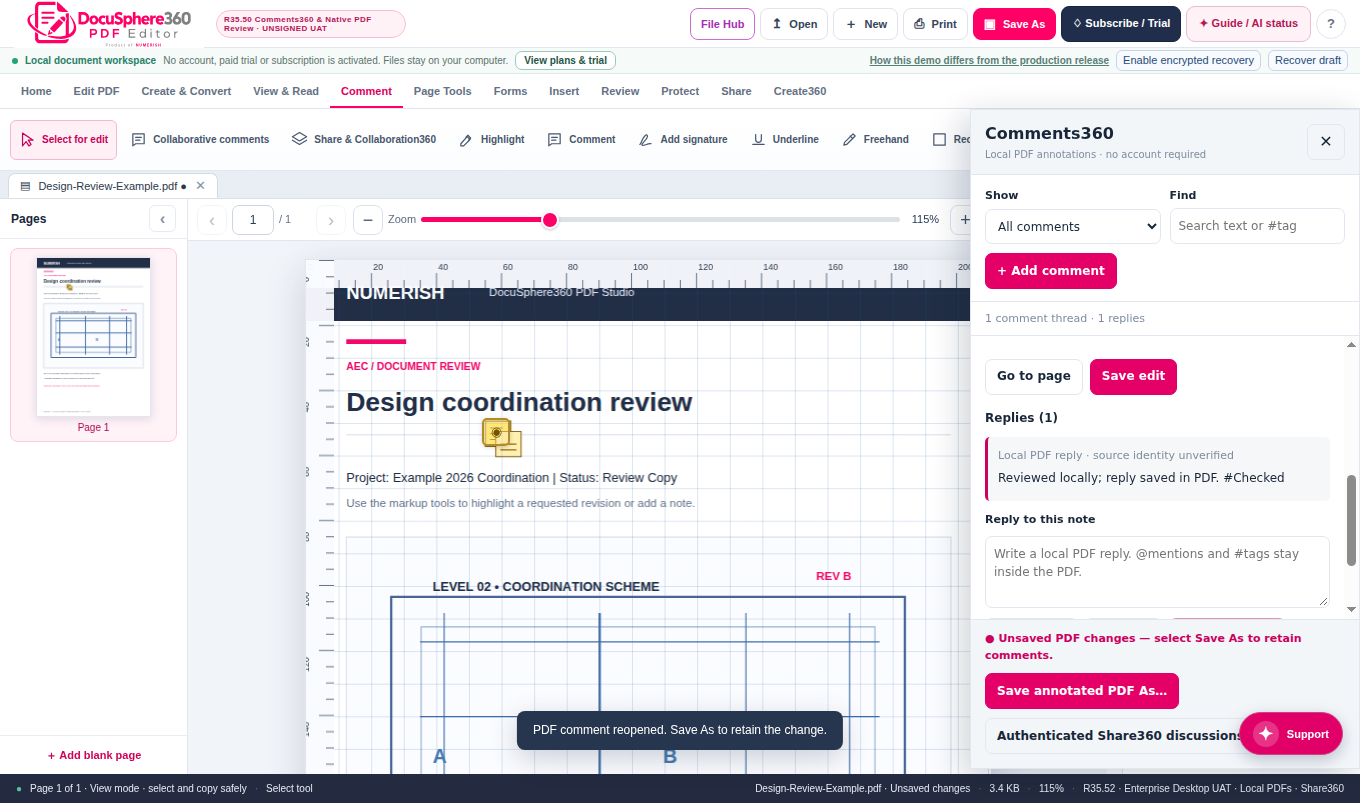
Native desktop review, threaded PDF comments and local Save As guidance.
Desktop R35.52 Linux QAOpen full screenshot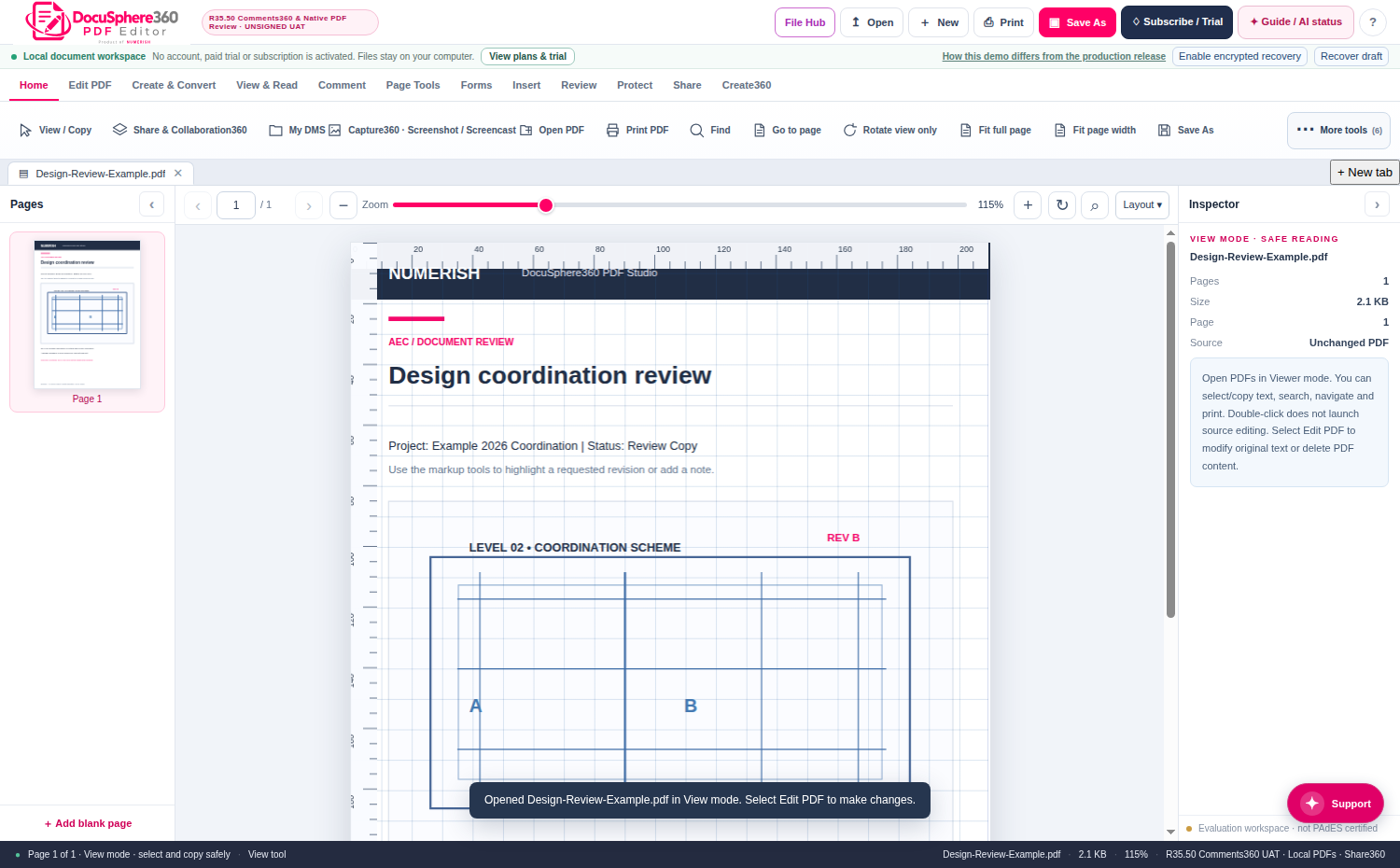
R35.50 editor showing the PDF editing surface, menus and source selection.
Desktop R35.50 QA predecessorOpen full screenshot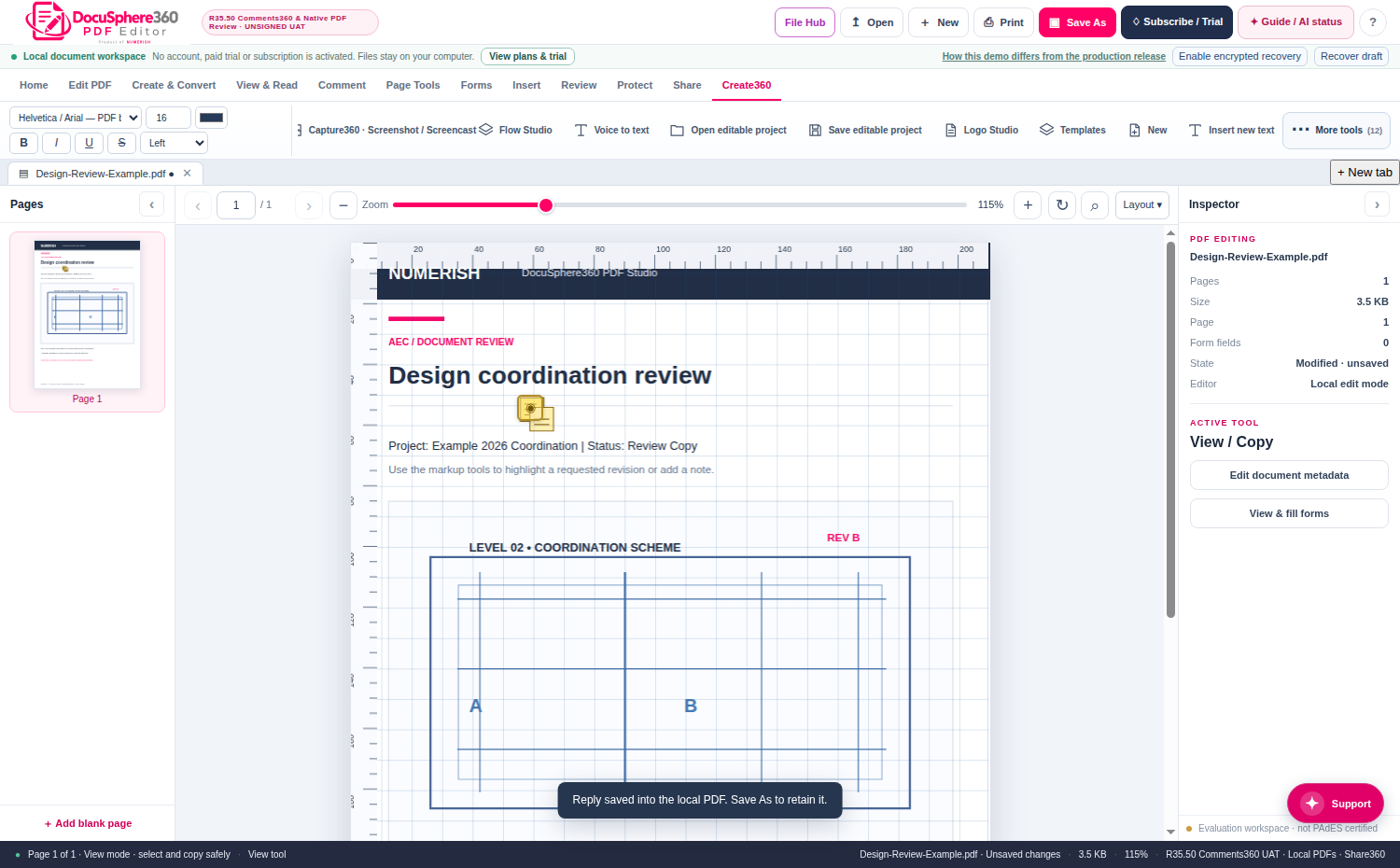
Templates and document creation presented in the desktop PDF Studio interface.
Desktop R35.50 QA predecessorOpen full screenshot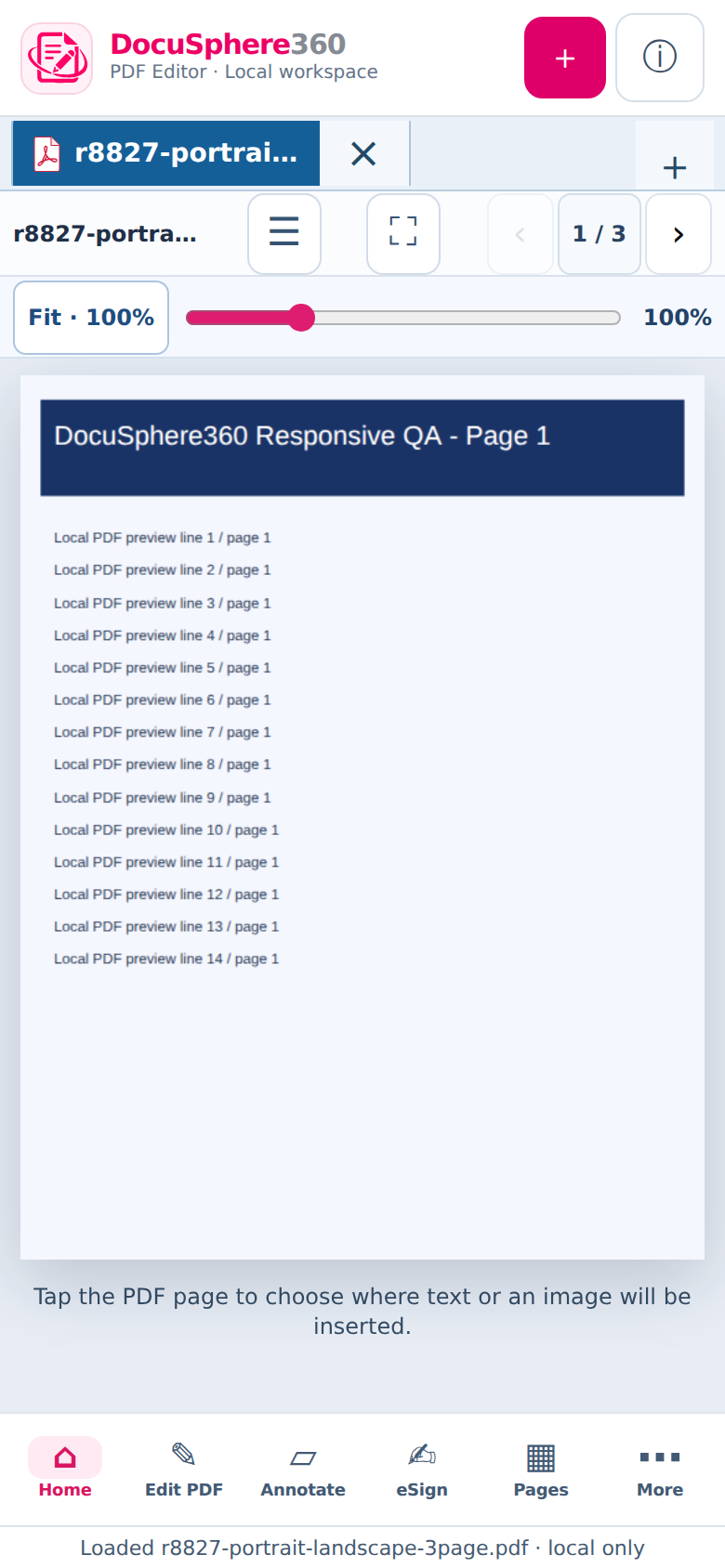
R88.27 displays a real synthetic multi-page PDF fitted to the available viewport.
Android R88.27 QAOpen full screenshot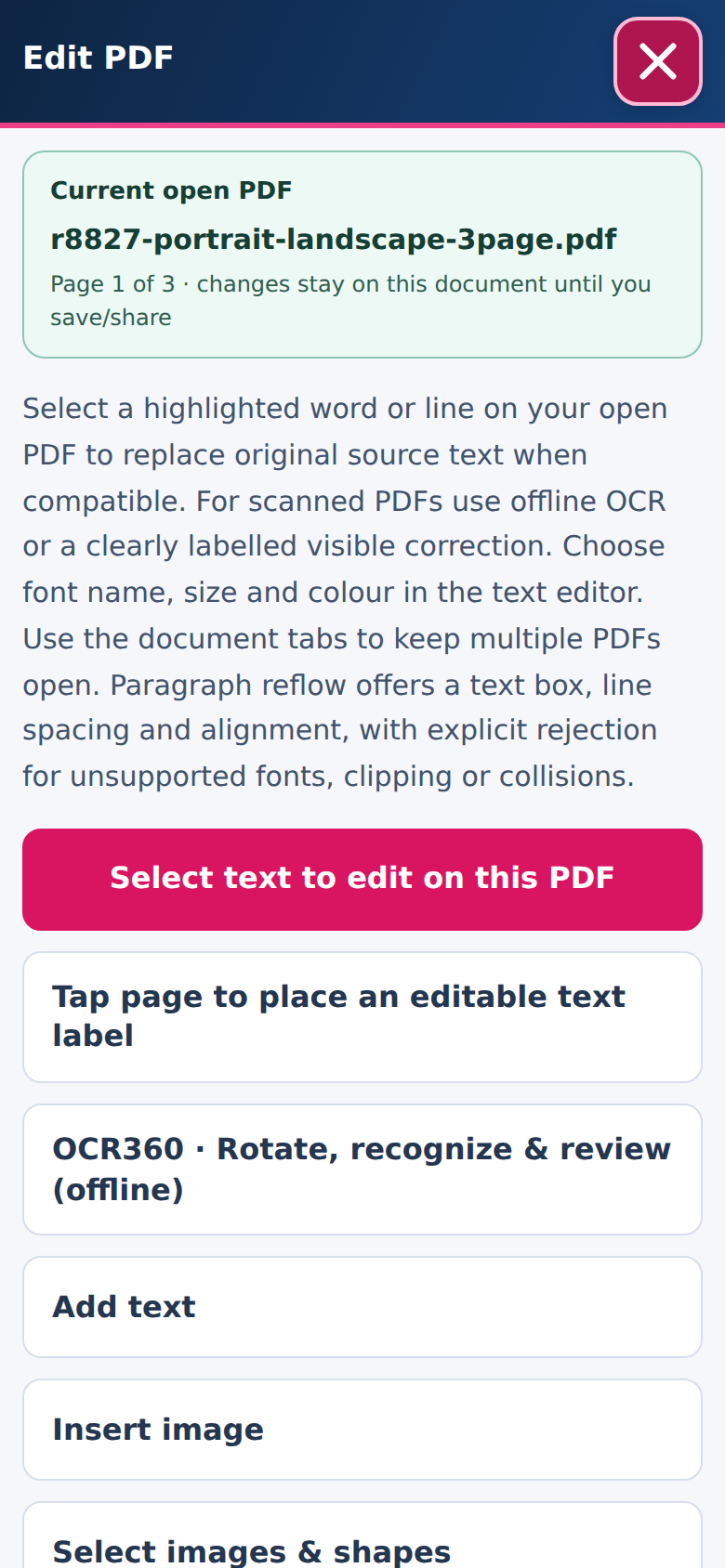
A responsive Edit PDF drawer with contextual instructions and tool actions.
Android R88.27 QAOpen full screenshot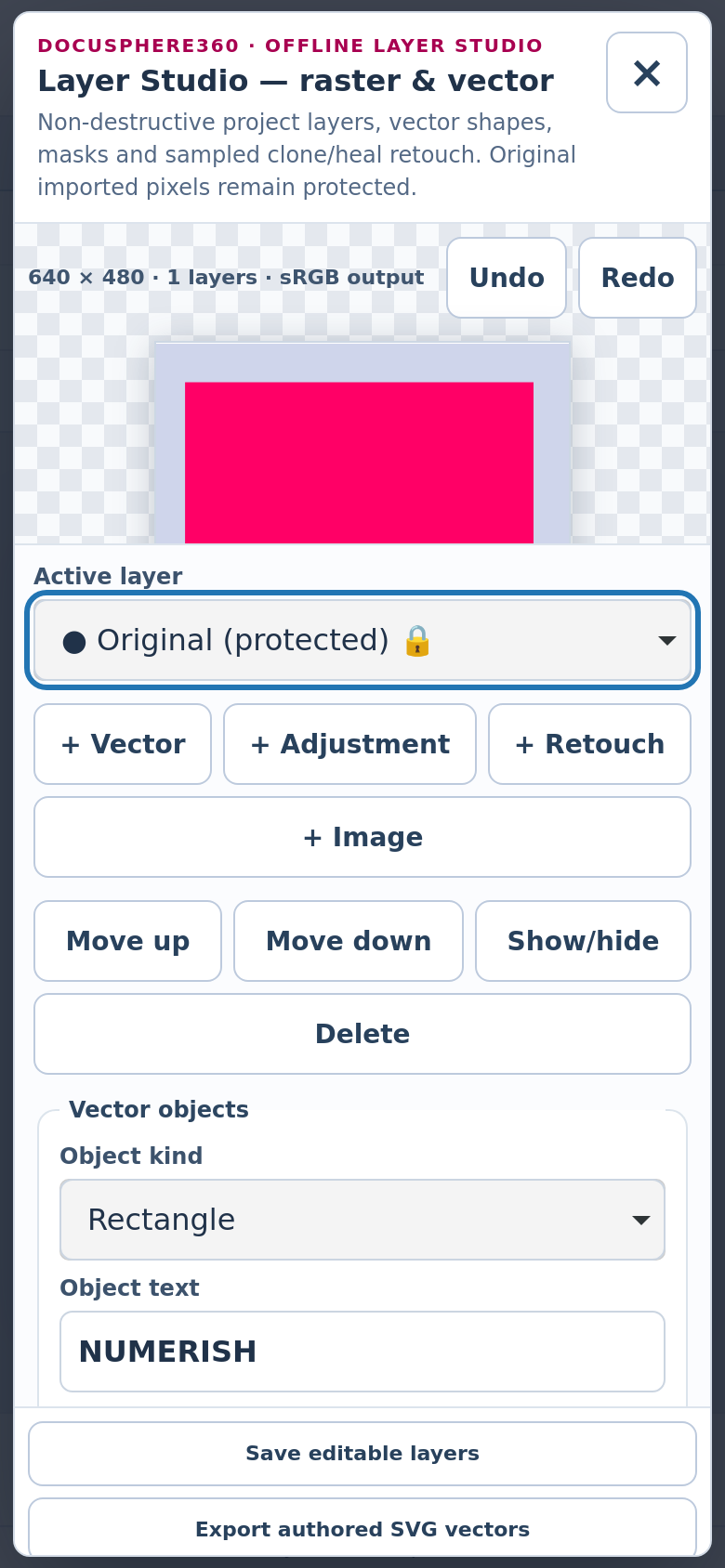
Working mobile layer controls and scroll-safe panel structure in the WebKit QA harness.
WebKit R88.27 QA; iOS native build pendingOpen full screenshot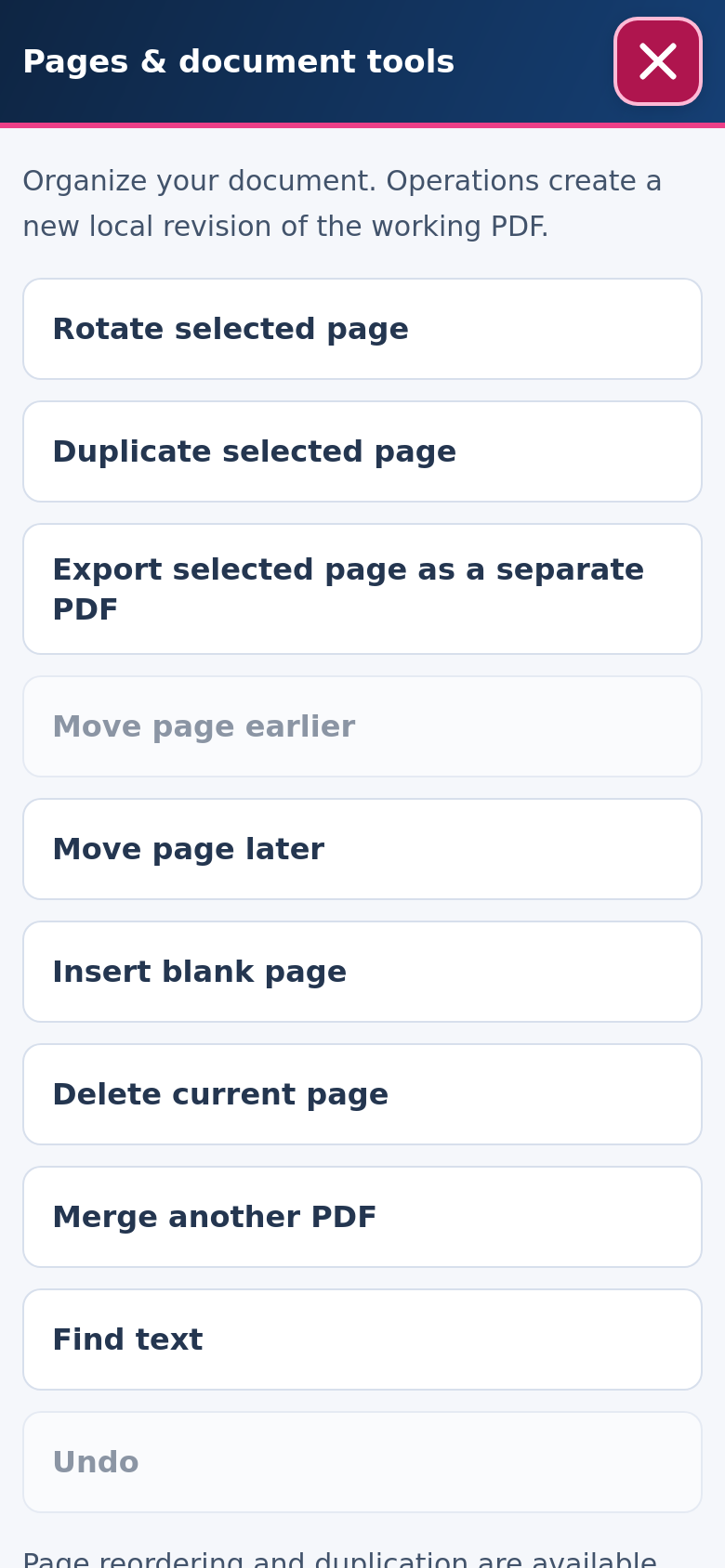
Page organization controls in the R88.27 mobile WebKit QA pass.
R88.27 QAOpen full screenshot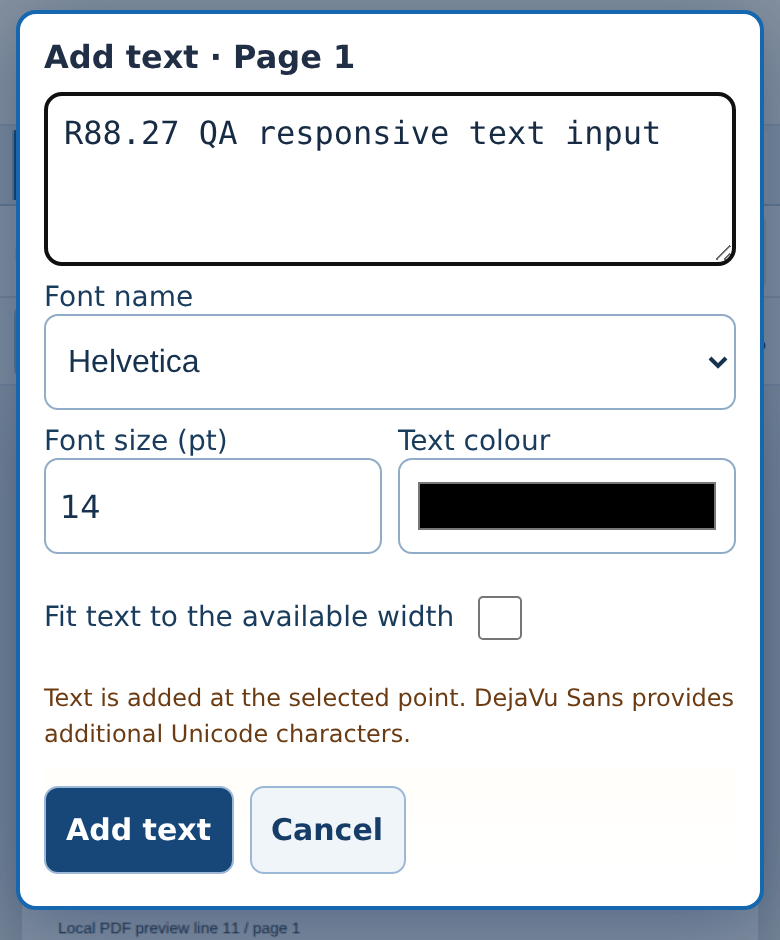
The text editor remains readable with a simulated 390 × 470 keyboard viewport.
R88.27 browser keyboard QAOpen full screenshot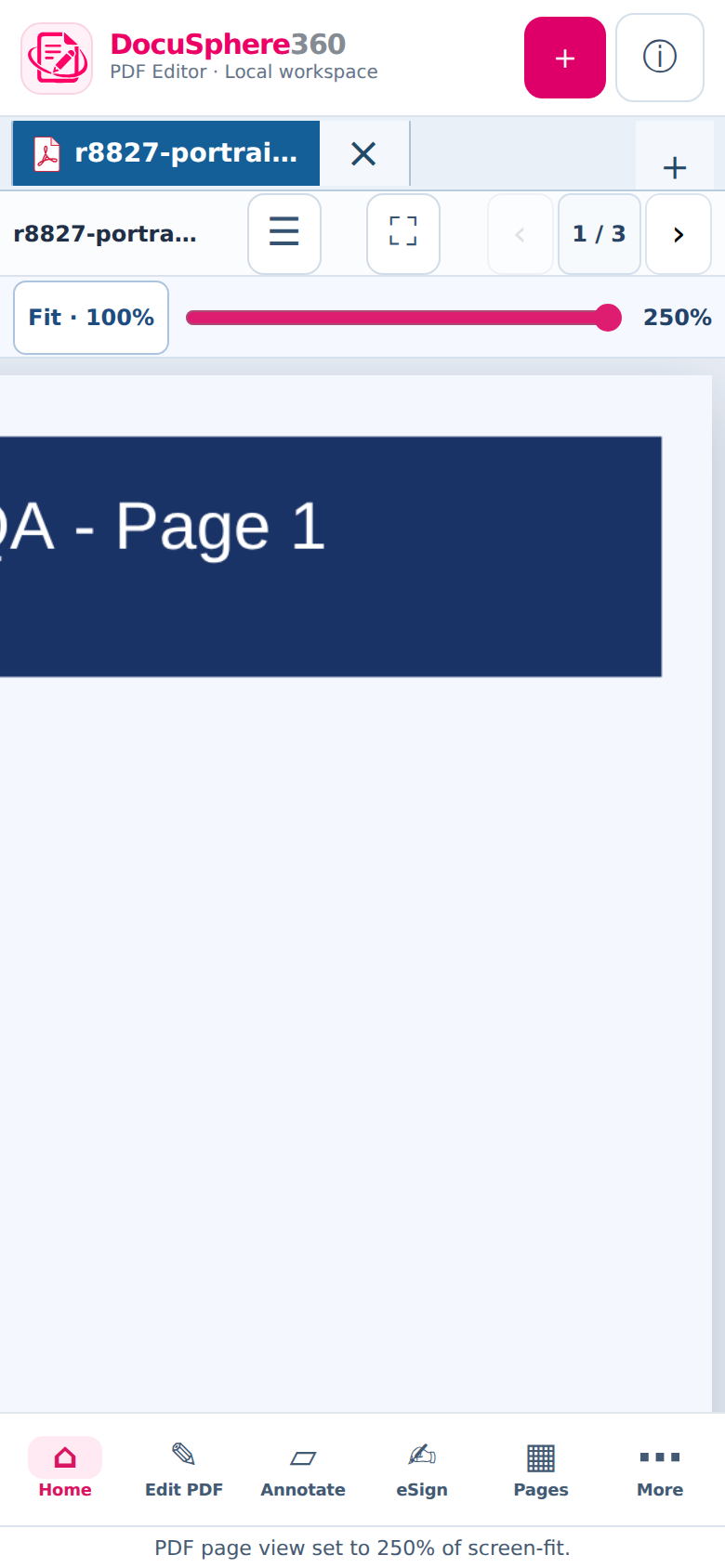
Responsive zoomed document with horizontal panning and page focus.
R88.27 browser QAOpen full screenshotEvidence boundary: R35.52 desktop and R88.27 Android/QA browser runs are engineering candidates. Mobile WebKit screenshots are browser QA, not proof of a signed iPhone build. DMS cloud write-back, independent redaction/PAdES and million-page editing are not production-certified.
Create, edit, organize, sign and review PDFs in a familiar workspace built around your document.
Menus, ribbons, page previews and a spacious canvas keep tools close at hand. Connect collaboration and governance when you need them.
A shared place for edits, review and controlled revision history.
Collaborate on documents with comments, permissions and revision context.
Open and work on local PDFs with an editor-first interface. Connect to Numerish services when your plan and organization authorize them.
Illustrative interface. Tool availability varies by operating system, edition, integrations and verified release. The release catalogue below determines which installers are publicly available.
Create. Refine. Collaborate. Protect.
From precision editing and intelligent OCR to forms, signatures, collaboration and document protection—all organized around the way you work.
Discover 16 capability areas. Individual tools vary by edition, platform and verified release.
Text selection, bounded semantic replacement, controlled reflow, layout geometry, images, objects and explicit change receipts.
Text and layout operations · native-engine dependentInsert, rotate, duplicate, move, extract, delete and rearrange pages. Merge files, split ranges and prepare clean outputs.
Page organizer · merge / split / extractCreate and fill text fields, checkboxes, selections and signer fields. Inspect field properties and prepare repeatable forms.
AcroForm workflows · advanced field behavior variesRecognize scanned pages, search extracted text and review word, line, block and paragraph geometry with confidence indicators.
OCR confidence and human-review workflowPDF creation, supported office conversion, file optimization, compression, document packaging and governed PDF/A pathways.
Format coverage depends on certified convertersPreflight-oriented rendering, ICC profiles, output preview, color separations and CMYK ink-coverage analysis.
Attested native rendering and RIP providers requiredHighlights, comments, markup, callouts and collaborative review notes with version-linked context.
Review comments can remain separate from PDF bytesPreview previous versions, identify visual or textual changes, preserve original content and reconcile edit conflicts.
Immutable versions and SHA-256 preconditionsControlled sharing, recipient permissions, expiry, review handoff and connection to an authorized canonical document workspace.
Connected collaboration requires account authorizationPrepare signature and initial fields, retain user-authorized reusable signatures and route higher-assurance signing to certified eSign/PKI services.
Saved signature ≠ independently verified digital signatureControlled removal workflows, restrictions, encryption options and governance of confidential information.
Permanent redaction must pass content-removal verificationTagged PDF/PDF/UA remediation workflows, structure checks, validation evidence, PDF/A preservation and accessibility review.
Independent conformance validation requiredPAdES profiles, certificate controls, timestamp and revocation evidence, tamper checks and governed signing receipts.
Trust services and higher profiles require live verificationPolicy-governed assistance for extraction, navigation, review and document analysis where AI entitlements are enabled.
Privacy, cost metering and human-review controls applyEncrypted recovery checkpoints, restart prompts, local save indicators, version-conflict safeguards and planned cloud continuation.
Browser review-draft recovery tested; full PDF replay is still gatedCrash analysis, checkpoint triage, consent-led support cases and metadata-first investigation without exposing document plaintext.
Controlled decryption requires independent approval and keysChoose the workspace that fits your day.
Work locally, collaborate through a browser or manage PDFs with enterprise document controls. Each experience has a distinct workflow and release scope.
An installable editor experience for Windows, macOS and Linux, with mobile platform targets. Organize, review and prepare PDFs near your local files.
A connected Studio experience designed for shared review, secure drafts, cross-device continuation and enterprise document handoff.
Use the PDF Studio workspace alongside DocuSphere360 repository permissions, controlled revisions, evidence and organizational policies.
Three ways to work with the same PDF Studio family.
See how editing, collaboration, signatures, recovery and document governance differ across Desktop, Cloud and ERP-connected workspaces.
A product-direction comparison. Actual functions depend on your edition, integrations and verified release.
| CapabilityCompare by workflow | Desktop StudioInstallable · Local-first | PDF Studio CloudBrowser · Connected | ERP-connectedGoverned documents |
|---|---|---|---|
| Primary working style | Installable · local-first | Browser · connected | Document-governed |
| PDF opening & preview | Device files | Authorized web document | Canonical PDF preview |
| Advanced editing engine | Native file-backed editing UAT · certification pending | Shared editor · integration gated | Bridge pending certified editor |
| OCR, forms & page tools | Engine / edition dependent | Engine availability dependent | Editor integration dependent |
| Signature workflows | Stored signature design · optional PKI | Connected signing design | Governed eSign service |
| Save and recovery | Local verified revisions for supported PDFs; enterprise journal acceptance pending | Encrypted browser drafts · sync planned | Versioned save and scoped draft bridge |
| Sharing & collaboration | Via connected services | Shared review workflow | Tenant ACL and controlled shares |
| Version evidence | When connected | When connected | Canonical revisions, checksums, audit |
| Recovery support | Device-assisted / key-dependent | Customer-authorized support workflow | Support360 governance integration |
A feature described as designed, connected, dependent or planned may require separate entitlement, external service, device capability or verified release before use.
Start with everyday PDF tasks, move into advanced professional workflows, or bring documents under organizational policies.
| Compare editionsCapabilities by use case | FreeEssential productivity | ProProfessional workflows | SovereignOrganization-governed |
|---|---|---|---|
| Primary goal | Essential PDF productivity | Advanced individual/team work | Controlled enterprise estates |
| Document editing | Core tools, as released | Expanded tool allowances | Policy-managed capability sets |
| OCR, conversion & compare | Edition-dependent | Advanced allowances | Governed service policies |
| Sharing & eSign | Optional/limited | Connected features | Role-aware enterprise governance |
| Licensing & deployment | Individual access | Professional licensing | Organization/device controls |
| Support & recovery | Guides and standard support | Professional support options | Enterprise policy & consent controls |
This edition guide is descriptive. It does not grant a feature or set a price, allowance or trial entitlement.
PDF Studio is being engineered for encrypted local checkpoints, transparent save indicators, recovery on relaunch and conflict-aware synchronization. It clearly separates saved on this device, synced to the cloud and committed document version.
Encrypted browser review-draft recovery has passed relaunch testing. Full PDF-content recovery, native Desktop journals and Cloud synchronization are under engineering and release controls.
We found a protected draft for Board Report.pdf.
Document assurance without unnecessary access.
Control revisions and permissions, investigate technical issues through safe diagnostics, and keep sensitive content protected.
Support-assisted recovery is designed around customer consent, independent approval and access to the correct encryption keys—not unrestricted administrator access.
Keep a clear document history with role-aware access, version integrity and review evidence when connected to enterprise services.
Investigate crashes, upload integrity and synchronization status using technical metadata before requesting document content.
Customer authorization, independent approval and expiring access are central to the governed support-recovery design.
An uploaded encrypted file cannot be unlocked without an authorized recovery key. Lost keys or damaged files may prevent recovery.
Connected functions and support-led decryption are subject to approved services, applicable policies and verified release availability.
For individuals, teams and regulated organizations.
Review contracts, prepare reports, coordinate technical drawings and manage records—with the tools and controls appropriate to each team.
Review agreements, prepare signature fields, identify sensitive information and retain earlier revisions.
Annotate reports, compare versions and prepare supporting documents for controlled financial reviews.
Assemble drawing sets, record review notes and coordinate revisions across multidisciplinary teams.
Apply role-based document controls, governed handoffs and records-retention policies where supported.
Illustrative workflows. Individual tools, integrations and governance controls depend on the licensed edition and verified release.
Quick answers about standalone use, Desktop and Cloud, signatures, recovery, privacy and product availability.
Choose a question to expand its answer. All details remain available whenever you need them.
PDF Studio is designed as standalone installable software. Enterprise connections are optional and governed by licensing, identity, availability and organization policy. The ERP-connected workspace is not required for ordinary local use.
Desktop prioritizes local files and a native editing experience; Cloud focuses on browser-based access, authorized collaboration and connected workflows. Some advanced operations require additional certified services or specific platform releases.
Reusable signature handling is part of the Studio experience design. A stored handwritten signature is different from a cryptographically verifiable digital signature; higher-assurance signing requires qualified certificate and provider controls.
Recovery360 uses encrypted checkpoint principles and explicit restoration. Browser review-draft recovery has been tested, while native Desktop journals, whole-PDF replay and Cloud synchronization are subject to further release integration. No software can recover changes that never reached durable storage.
Not by default. Diagnosis can use safe metadata. Any supported content recovery requires authorization, appropriate keys, customer consent, independently approved access and applicable retention rules. An encrypted file alone may not be recoverable.
Verified downloads appear in the release catalogue on this page. Actual prices, trials and plan rights are resolved through Numerish PricingHub and License360 rather than assumed from this feature overview.
Only approved, verified installers appear here. Check release versions, supported platforms, checksums and version history before installing.
| Version | Released | Channel | Platforms | Notes |
|---|
Engineering and production releases are distinct. Desktop R35.52 and Android R88.27 are tested UAT builds. Signed native releases, independent PAdES/redaction/PDF/A/PDF/UA validation and governed Cloud write-back remain production-gated. The live download catalogue below never substitutes unapproved test builds for certified releases.
Desktop R35.52 introduces a file-backed worktree, checked local PDF note revisions and verified Save As for a restricted class of unsigned classic PDFs across Windows/Linux/macOS source. Android R88.27 improves opened-document responsiveness, keyboard-safe editing panels, Layer Studio and mobile navigation. Both builds have synthetic QA evidence.
Release distinction: these are unsigned engineering candidates. macOS/iOS native-device approval, app-store signing, PAdES/PDF/A/PDF/UA/secure-redaction certification, dense 5 GB editing, DMS binary write-back and independent production approvals remain open.
Model potential time released from manual PDF handling and tool consolidation without treating it as guaranteed cash savings.
Commercial amounts are resolved from PricingHub for your country, currency and applicable tax—not hard-coded into this page.
For individuals who need reliable core PDF productivity.
Advanced document work, AI allowances and connected Numerish capabilities.
14-day trial requested · Independent Finance approval and activation pending
No automatic activation or payment.For controlled estates, regulated teams and sovereign operating requirements.
14-day trial requested · Independent Finance approval and activation pending
Governed deployment and identity checks required.Trial eligibility is being checked.
A pricing policy preview is not a trial activation. Licensed evaluation access will open only after approved pricing, identity, License360 and native release certification. A product demonstration is a separate evaluation experience.
Check the revised figures before final approval.